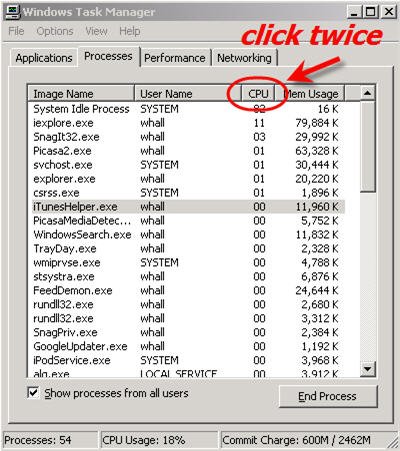
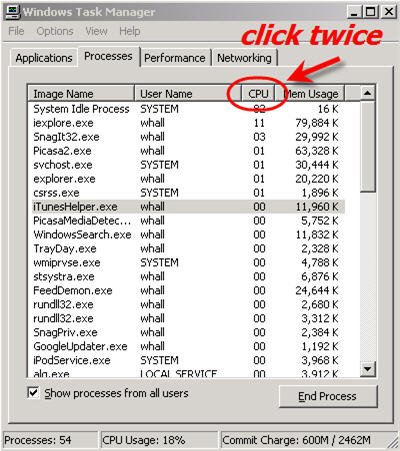
Try checking the windows task manager processes to see if a program is hogging all of your processor time. Ctrl-Alt-Delete, Task Manager button, Processes tab. System Idle Process should be at the top of the list. If not, there could be a problem.
^^^ It will always vary. If System Idle Process is consistently low and another process is constantly using a high percentage. There might be a problem with that program.
In my list first of all stands antivirus 2 times, next chrome 6 times, after some system processes and then svchost.exe 12 times.
idk why they are repeating.
They are all sharing processor time and that is normal. But sometimes a program gets stuck in a loop or has some other problem and will hog all the processor time and slow everything else down. So if a process other than System Idle Process is constantly using a large percentage of the processing time, there might be a problem with the program creating that process.
Try checking the windows task manager processes to see if a program is hogging all of your processor time. Ctrl-Alt-Delete, Task Manager button, Processes tab. System Idle Process should be at the top of the list. If not, there could be a problem.
This site uses cookies to help personalise content, tailor your experience and to keep you logged in if you register.
By continuing to use this site, you are consenting to our use of cookies.